

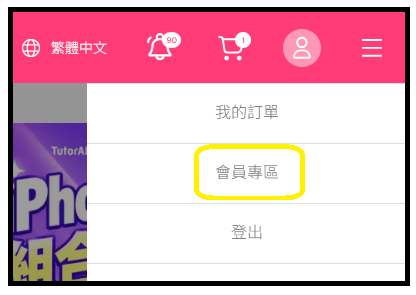
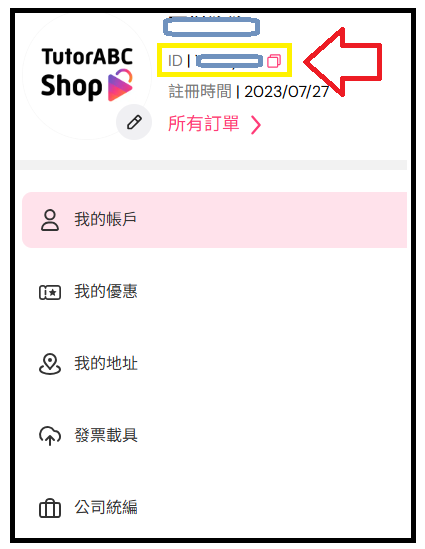
To view your ID, go to the TutorABC Shop website ➜ tap your profile picture at the top right ➜ Member Centre ➜ find your ID below your name (you can tap the pink copy button next to it)
Last updated: 2026/11/04
To view your ID, go to the TutorABC Shop website ➜ tap your profile picture at the top right ➜ Member Centre ➜ find your ID below your name (you can tap the pink copy button next to it)
Did this answer your question?
Still need help?
Reach out to our support team and we'll be happy to help
